Maud /
SettingUpMaud
Preparing actual data refinement
Setting up Maud
For an actual refinement, we will not refine all instruments parameters as we did for the standard. Therefore parameters such as
- detector distance
- wavelength
- detector tilt
- peak profiles
will always be fixed. On the other hand, we will refine
- the incident intensity
- backgrounds
- beam center position
as those may be different than from the standard.
To start a refinement, simply start from the par file you created with you standard (or a previous refinement), and change its name (save as...).
Loading the data
Load a new dataset
- Select your dataset, edit it,
- Select the
datafilestab, - Click on the button
remove all - Insert the new datasets:
browse
Restrict the interval
- look at your data and choose what interval you may be interested in
- in the
Generaltab, enter2 theta minand2 theta maxand hit enter
Check the data Check all datasets (plot several at the same time) and check
- that the range you chose is ok for all
- that no spectra show weak intensities (beam stop) or spots. If they do, simply remove them.
Setting up a material
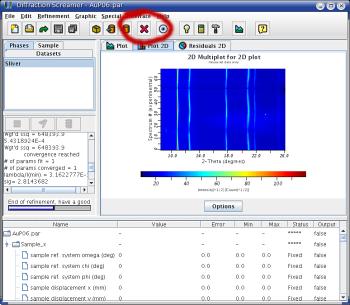 | 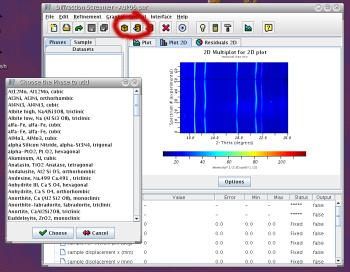 |
| Removing a phase | Add a new phase from the database |
If you sample is different from the file you started with,
- in the main window, select the
phasestab, - remove the old phase,
- add a new one for each phase in your sample
At this point, you should calculate the spectrum (hit the calculator icon) and see what you get. Make sure that the number of peaks is ok. If not, you probably go the list phase wrong.